用 Docker Agent 构建 AI 智能体 (AI Agent)
Building AI Agents with Docker Agent
作者:Shittu Olumide,技术内容专家,发表于 2026 年 10 月 8 日 Artificial Intelligence
By Shittu Olumide, Technical Content Specialist on October 8, 2026 in Artificial Intelligence
文章背景与核心概要
随着 AI 智能体架构的演进,如何像管理微服务一样对智能体进行统一打包、分发与编排,成为了工程落地的核心挑战。Docker Agent 沿袭了 Docker“一次构建,到处运行”的经典哲学,将大语言模型、提示词指令、工具集及协作关系抽象为声明式的 YAML 配置文件,消除了繁琐的代码胶水层。它不仅天然解耦底层模型供应商,还深度集成了模型上下文协议 (Model Context Protocol, MCP),能够将各类扩展工具安全隔离在独立容器中运行。最终成型的智能体团队可以直接推送到标准 OCI 镜像仓库进行版本化管理与无缝分发,真正实现了 AI 智能体从开发到生产的标准化容器化交付。
内容摘要
Summary
Docker Agent 是一款基于 Apache 2.0 开源协议的命令行 (CLI) 插件,旨在像运行传统容器一样运行 AI 智能体。开发者只需编写声明式 YAML 配置文件,就能定义、版本化管理并编排单智能体或多智能体团队。这些智能体完全解耦模型供应商 (支持 OpenAI、Anthropic 以及通过 Docker Model Runner 驱动的本地模型等),可无缝集成模型上下文协议 (Model Context Protocol, MCP),并能够利用标准的 OCI 镜像仓库完成打包、共享与分发。本篇实战指南将全面带你走过环境安装、构建单智能体与多智能体工作流、挂载工具以及最终打包部署的全流程。
Docker Agent is an open-source, Apache 2.0-licensed CLI plugin designed to run AI agents like traditional containers. By using declarative YAML configurations, developers can define, version, and orchestrate single or multi-agent teams. These agents are provider-agnostic (supporting OpenAI, Anthropic, local models via Docker Model Runner, etc.), integrate seamlessly with the Model Context Protocol (MCP), and can be packaged, shared, and distributed using standard OCI registries. This comprehensive guide walks through installation, building single and multi-agent workflows, utilizing tools, and packaging agents for deployment.
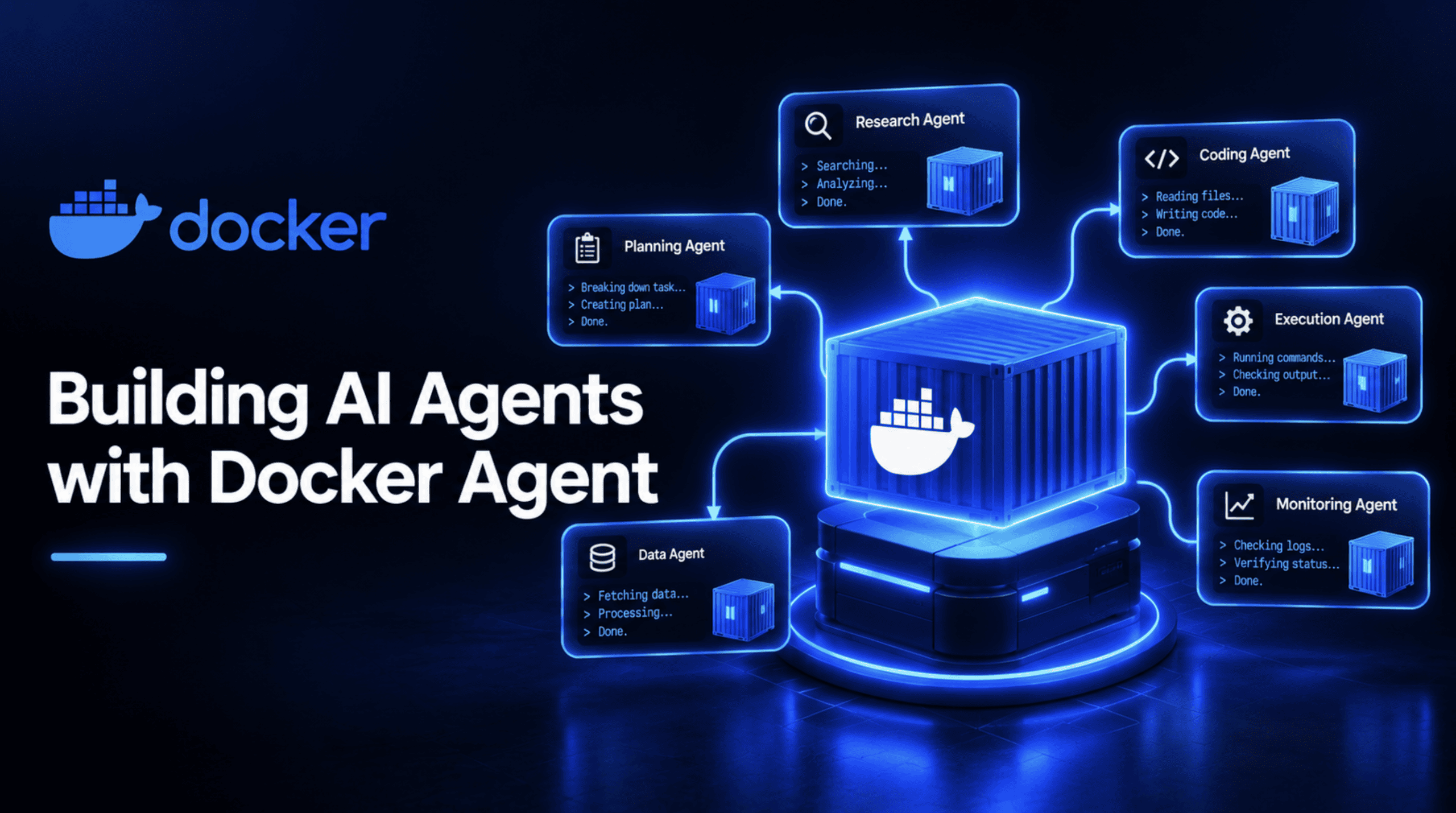
Docker 当年声名鹊起的核心理念其实非常简单:一次打包,到处运行,且每次运行表现始终如一。Docker Agent 将同样的理念延伸到了 AI 智能体领域:不再需要编写繁杂的胶水代码,而是通过声明式配置定义智能体,借助 CLI 插件启动运行,并直接复用托管容器镜像的现成 OCI 仓库进行分发。如果你曾设想过像管理容器一样去定义、版本化控制并分享 AI 智能体,那么这款工具正是为你填补这一空白的利器。
Docker built its reputation on one idea: package software once, run it anywhere, the same way, every time. Docker Agent applies that same idea to AI agents: describe them in a declarative config instead of code, run them through a CLI plugin, and distribute them through the same OCI registries that already store your container images. If you've ever wished an AI agent could be defined, versioned, and shared like a container, that's the gap this tool fills.
这是一篇详尽的实战教程,将带你从零开始完成全新安装,一步步搭建出能够协同运转的多智能体团队。
This is a full, hands-on tutorial, from a completely bare install to a real, working multi-agent team.
什么是 Docker Agent?
What Is Docker Agent?
Docker Agent 是一款由 Docker 工程团队打造的开源命令行插件,采用 Apache 2.0 许可证,以 docker agent 命令的形式安装与运行。它的官方宣传语非常直截了当:像运行容器一样运行 AI 智能体。从 pkg.go.dev 上的 Go 模块发布历史来看,它在 2026 年 3 月就打上了最初的发布标签,并在随后迅猛发展;目前该项目在 GitHub 上已收获超 3,300 颗 Star,代码提交量接近 10,000 次。
Docker Agent is an open-source, Apache 2.0-licensed CLI plugin built by Docker Engineering, installed and run as docker agent. Its own tagline states the goal plainly: run AI agents like containers. Its Go module history on pkg.go.dev shows early tagged releases from March 2026, and it's grown quickly since; the project has already passed 3,300 GitHub stars and nearly 10,000 commits.
它的诞生并非凭空出现。早在 2025 年,Docker 就一直在为此铺路:2025 年 7 月发布的一项声明便扩展了 Docker Compose,使其能够直接支持智能体与 AI 模型,随后推出的 Docker Model Runner 也让开发者无需云端 API 密钥即可在本地运行模型。Docker Agent 正是这些前期技术积淀结出的果实——它成为了一个独立的专属工具,而不是硬塞在 Compose 中的某个附属功能。
It didn't appear out of nowhere. Docker spent 2025 building toward exactly this: a July 2025 announcement extended Docker Compose to support agents and AI models directly, and Docker Model Runner shipped as a way to run models locally without a cloud API key. Docker Agent is the product of that groundwork landing in one dedicated tool, rather than a single feature bolted onto Compose.
它的核心独特优势体现在以下几个方面:
What actually makes it distinctive:
- YAML 声明驱动:智能体通过 YAML (或 HCL) 文件进行定义,这意味着无需深厚的软件工程背景也能轻松构建智能体。
- 解耦模型供应商:支持 OpenAI、Anthropic、Gemini、AWS Bedrock、Mistral、xAI,并且能借助 Docker Model Runner 纯本地运行开源模型。
- 多智能体协同编排:原生支持构建专业分工的智能体团队,并在彼此之间灵活委派任务。
- 灵活的工具生态:除了内置工具外,还支持挂载任意 MCP 服务端,工具既可以在本地或远程运行,也可以安全运行在隔离的 Docker 容器中。
- 基于 OCI 标准分发:构建好的智能体可以直接推送至任何兼容 OCI 的镜像仓库,亦可从中拉取——分发机制与大家熟知的 Docker 镜像完全一致。
- YAML-Driven: Agents are defined in YAML (or HCL), meaning no deep software engineering background is required to build one.
- Provider-Agnostic: Works with OpenAI, Anthropic, Gemini, AWS Bedrock, Mistral, xAI, and fully local models through Docker Model Runner.
- Multi-Agent Orchestration: Supports genuine teams of specialized agents that delegate work to each other.
- Flexible Tool Ecosystem: Includes built-in tools plus any MCP server, run locally, remotely, or inside an isolated Docker container.
- OCI Distribution: Finished agents can be pushed to and pulled from any OCI-compatible registry—the same distribution mechanism Docker images use.
前提条件与安装 Docker Agent
Prerequisites and Installing Docker Agent
开始前你需要准备三样东西:机器上已安装 Docker、能够正常运行该插件的安装方式,以及至少可访问一个语言模型。
You need three things: Docker installed on your machine, a way to actually run it, and access to at least one language model.
安装选项
Installation Options
- Docker Desktop:如果你正在使用 Docker Desktop 4.63 或更新版本,该插件已经预置在系统中;直接执行
docker agent即可。 - Homebrew:运行
brew install docker-agent直接安装二进制文件。你可以直接执行docker-agent,或者将其软链接到~/.docker/cli-plugins/docker-agent,即可使用docker agent子命令语法。 - 二进制安装包:从 GitHub Releases 直接下载二进制文件,并按照同样的方式创建软链接。
- Docker Desktop: If you're running Docker Desktop 4.63 or newer, the plugin is already there; just run
docker agent.- Homebrew: Run
brew install docker-agentto install the binary directly. Run it asdocker-agent, or symlinked to~/.docker/cli-plugins/docker-agentto use thedocker agentsyntax.- Binary Release: Download it directly from GitHub Releases and symlink it similarly.
配置语言模型
Setting Up a Model
你可以将云端模型厂商的 API 密钥配置为环境变量:
You can use a cloud provider's API key set as an environment variable:
export ANTHROPIC_API_KEY=sk-ant-your-key-here
# or OPENAI_API_KEY, GOOGLE_API_KEY, depending on your provider
或者,你也可以完全无需云端密钥,直接通过 Docker Model Runner 在本地运行模型。
Alternatively, skip a cloud key entirely and run a model locally through Docker Model Runner.
运行以下命令验证安装是否成功:
Confirm the installation worked by running:
docker agent --help
构建你的第一个智能体
Building Your First Agent
一个最基础但功能完整的 Docker Agent 只需要一个 YAML 文件即可。创建 agent.yaml:
The smallest real Docker Agent is a single YAML file. Create agent.yaml:
agents:
  root:
    model: anthropic/claude-sonnet-4-5
    description: A helpful coding assistant
    instruction: |
      You are an expert software developer. Help users write
      clean, efficient code. Explain your reasoning step by step.
    toolsets:
      - type: filesystem
      - type: shell
      - type: think
代码解析:
Code Explanation:
root:该智能体的名称。每份配置文件都必须包含一个名为root的智能体作为主入口。model:遵循provider/model-name格式,这里通过 Anthropic 指定为 Claude Sonnet 4.5。description:运行时用来识别该智能体的简短说明。instruction:以通俗语言编写的系统提示词。toolsets:赋予该智能体的能力集:filesystem:授予读写本地文件的权限。shell:允许执行命令行命令。think:为智能体提供结构化的思考空间,使其在采取行动前能够逐步推演推理。
root: The name of this agent. Every config needs at least one agent with this exact name as its entry point.model: Follows aprovider/model-nameformat, here pointing to Claude Sonnet 4.5 through Anthropic.description: A short summary the runtime uses to identify the agent.instruction: The system prompt written in plain language.toolsets: Capabilities this agent can use:filesystem: Grants read and write access to files.shell: Allows running commands.think: Gives the agent a structured space to reason step by step before acting.
使用交互式终端界面 (TUI) 运行它:
Run it with the interactive terminal UI:
docker agent run agent.yaml
或者以非交互模式单次执行指定任务:
Or run it non-interactively for a single task:
docker agent run --exec agent.yaml "Create a Dockerfile for a Node.js app"
为智能体赋予真正的扩展工具
Giving Your Agent Real Tools
文件系统和 Shell 固然实用,但智能体往往还需要安全地与宿主机外部的世界进行交互。Docker Agent 对 MCP 的支持,允许将 MCP 服务端运行在独立的 Docker 容器中,从而与你的宿主机系统完全隔离。
A filesystem and shell are useful, but an agent often needs to reach outside your machine securely. Docker Agent's MCP support allows running an MCP server inside its own Docker container, isolated from your host system.
agents:
  root:
    model: anthropic/claude-sonnet-4-5
    description: Research assistant with memory and web search
    instruction: |
      You are a research assistant. Search the web for information,
      remember important findings, and provide thorough analysis.
    toolsets:
      - type: think
      - type: memory
        path: ./research.db
      - type: mcp
        ref: docker:duckduckgo
代码解析:
Code Explanation:
memory:在./research.db路径下为智能体建立持久化存储,以便在多轮对话交互中记住关键事实。mcp:其中的ref: docker:duckduckgo参数指示 Docker Agent 将 DuckDuckGo MCP 服务端运行在其专属的容器内,默认提供安全隔离的执行环境。
memory: Gives the agent a persistent store at./research.dbto recall facts across turns.mcp: Theref: docker:duckduckgoparameter tells Docker Agent to run the DuckDuckGo MCP server inside its own container, providing secure and isolated execution by default.
构建多智能体协同团队
Building a Multi-Agent Team
我们可以定义一个精简的团队——每位成员职责专一明确——并由一位协调者 (Coordinator) 在它们之间分配和流转任务。下面是一个由协调者、研究员 (Researcher) 和撰稿人 (Writer) 组成的内容调研团队示例。
Define a small team—each member with a narrow role—and a coordinator that delegates between them. Below is a content research team example featuring a coordinator, a researcher, and a writer.
agents:
  root:
    model: anthropic/claude-sonnet-4-5
    description: Coordinator for a content research team
    instruction: |
      You are a content lead coordinating a small research team.
      When given a topic, delegate web research to the researcher,
      then pass the findings to the writer to produce a short,
      well-organized report. Review the final output before
      presenting it to the user.
    sub_agents: [researcher, writer]
    toolsets:
      - type: think

  researcher:
    model: openai/gpt-5
    description: Web researcher who gathers and summarizes findings
    instruction: |
      Search the web for current, credible information on the
      given topic. Summarize the key findings in a structured list,
      noting the source for each claim.
    toolsets:
      - type: mcp
        ref: docker:duckduckgo
      - type: memory
        path: ./research.db

  writer:
    model: anthropic/claude-sonnet-4-5
    description: Turns research findings into a clear, organized report
    instruction: |
      Take the research findings you're given and write a short,
      well-structured report a general reader could follow, with
      clear section headings and no unexplained jargon.
    toolsets:
      - type: filesystem
代码解析:
Code Explanation:
- 在
root智能体上声明sub_agents: [researcher, writer],会自动为 root 注入内置的transfer_task工具。 - 当协调者向下派发任务时,它会调用
transfer_task(agent="researcher", task="...", expected_output="..."),这将在独立的纯净子会话中启动 researcher,等待其执行完毕并返回结果。
sub_agents: [researcher, writer]on therootagent automatically grants root access to a built-intransfer_tasktool.- When the coordinator delegates, it calls
transfer_task(agent="researcher", task="...", expected_output="..."), which starts the researcher in its own clean sub-session, waits for it to finish, and returns the result.
校验与运行你的配置文件
Validating and Running Your Configuration
使用项目官方的 JSON Schema 校验你的配置文件结构是否合法:
Validate your configuration against the project's official schema:
import yaml, json, jsonschema

with open("agent-schema.json") as f:
    SCHEMA = json.load(f)

def validate(yaml_text: str, label: str):
    config = yaml.safe_load(yaml_text)
    try:
        jsonschema.validate(instance=config, schema=SCHEMA)
        print(f"[{label}] VALID against agent-schema.json")
    except jsonschema.ValidationError as e:
        print(f"[{label}] SCHEMA VALIDATION ERROR: {e.message}")
agent-schema.json可直接从docker/docker-agent开源仓库下载,确保你的配置与最新的规范标准严格匹配。
agent-schema.jsonis downloaded directly from thedocker/docker-agentrepository, ensuring configs match the current specifications.
打包与共享你的智能体
Packaging and Sharing Your Agent
智能体团队构建完成后,你可以将其推送到任意兼容 OCI 的镜像仓库中,并在任何安装了 Docker Agent 的环境中直接拉取运行:
Once a team is built, push it to any OCI-compatible registry and pull it down anywhere Docker Agent runs:
docker agent run myorg/agent:tag
不同的智能体还可以通过镜像仓库跨环境互相引用,作为子智能体协同工作:
Agents can also reference each other across registry systems as sub-agents:
agents:
  root:
    model: openai/gpt-5
    description: Coordinator that delegates to a shared, pinned research agent
    instruction: |
      Delegate research tasks to the shared researcher agent.
    sub_agents:
      - reviewer:docker.io/myorg/review-agent@sha256:44117e73263afa5c861bdf3730dae7925918ffdd146827eee5bcff20bc55e8fa
💡 提示:通过不可变摘要 (例如
@sha256:...) 进行版本锁定能够保持极快的启动速度,并确保多智能体协同行为完全可复现;相比之下,可变标签 (Tags) 可能会随时间更新而产生变动。💬 [原文引用 / Original Quote]:
Tip: Pinning to an immutable digest (e.g.,
@sha256:...) keeps startup fast and guarantees team behavior remains fully reproducible, unlike mutable tags which can change over time.
总结
Wrapping Up
Docker Agent 重新定义了我们管理 AI 基础设施的方式:它将智能体的配置——包括模型、提示词指令、工具链以及协同团队——统一视作便携且可版本化管理的制品。你可以像对待容器镜像一样,把配置文件提交至源码仓库进行版本控制、实施自动化校验,并通过标准的 OCI 镜像仓库进行分发与交付。不妨先从一个简短的单智能体配置入手测试体验,再逐步拓展到高度协同的多智能体复杂工作流中。
Docker Agent redefines how we manage AI infrastructure by treating an agent's configuration—its model, instructions, tools, and teammates—as a portable, versionable artifact. You can check it into source control, validate it automatically, and ship it through standard OCI registries just like container images. Start with a simple single-agent file, test it out, and scale up to coordinated multi-agent workflows.